
Steps
- Crop the source to the relevant text and correct its orientation before upload.
- Use a sharp image with even lighting, adequate resolution, and strong foreground/background contrast.
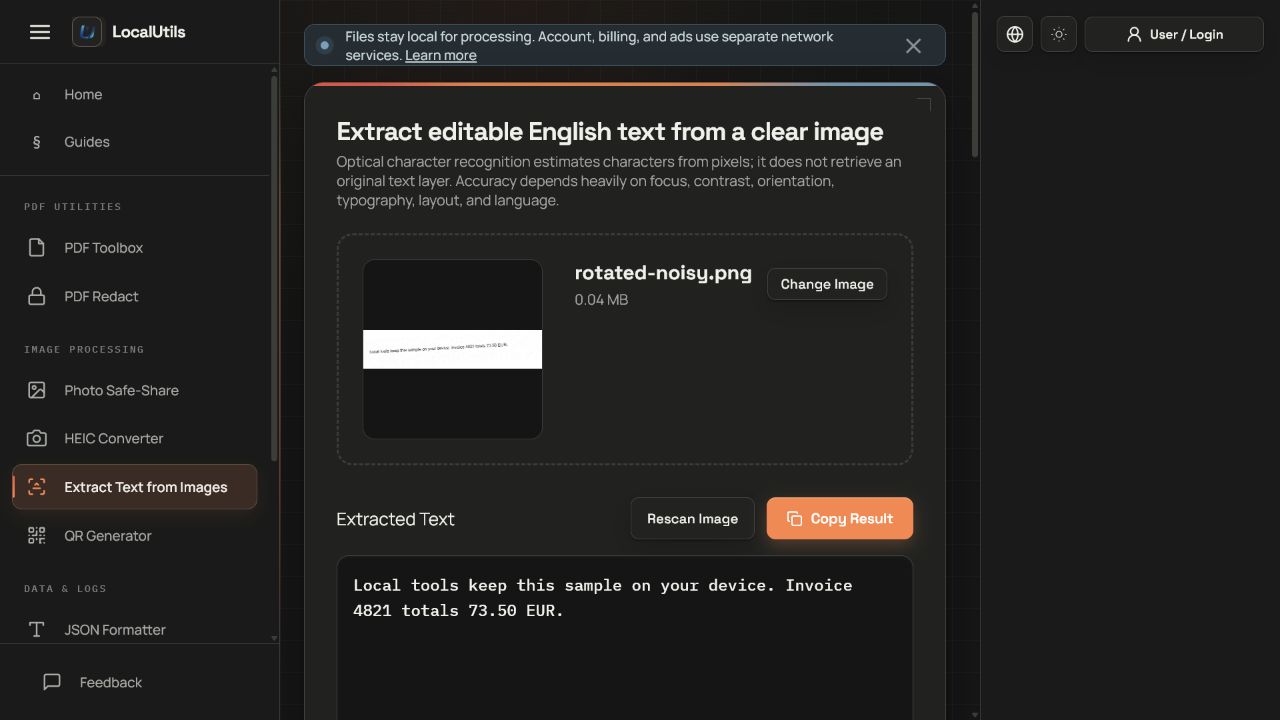
- Run recognition and watch the progress indicator while the worker processes the image.
- Copy the result into an editor, preserve line breaks only where useful, and compare names, numbers, punctuation, and ambiguous characters with the image.
Supported formats
- Input: image types the browser can decode and Tesseract.js can read.
- Recognition language: bundled English data in the current interface.
- Output: plain text copied or downloaded by the user.
Things to know
- Handwriting, curved text, tables, multi-column layouts, decorative fonts, and low-resolution screenshots reduce accuracy.
- The output does not preserve semantic structure or reliably reproduce tables.
- English language data will misread many non-English words and characters.
- OCR confidence is not proof that a number or name is correct.
Troubleshooting
- If output is empty, crop closer to the text and increase contrast.
- If lines appear in the wrong order, process smaller regions separately.
- If digits are confused with letters, verify every occurrence against the image rather than applying a blind replacement.
Common questions
Can it recognize handwriting?
It may produce partial results, but the current general English model is intended primarily for printed text.
Why is the first run slower?
The browser may need to download and initialize the OCR worker, WebAssembly, and English language assets.
Is OCR output accessible by default?
Plain text can help create accessible material, but reading order, headings, tables, and corrections still require human editing.
Test results
Test results
ocr-accuracy-study
Tested
Recorded environment
- Browser
- Google Chrome 150.0.7871.182
- OS
- Windows 11
- App revision
86b9bd1+working-tree
Exact test method
Run the four generated cards through the current English Tesseract worker and compare normalized output with ground truth.
Independent check
Calculate character error rate from the downloaded ground-truth text.
Synthetic fixtures
clear-32px.png12.3 KB · Synthetic fixture · CC0 1.0
6e98fb316e8fbd33…Download fixture ↓
expected-results.json274 B · Synthetic fixture · CC0 1.0
a07edf2a4d83a276…Download fixture ↓ground-truth.txt77 B · Synthetic fixture · CC0 1.0
b4be7e476d6f3bc2…Download fixture ↓low-contrast.png9.9 KB · Synthetic fixture · CC0 1.0
8130a0e3de635e72…Download fixture ↓
rotated-noisy.png39.6 KB · Synthetic fixture · CC0 1.0
9eafdbb4cbd3fccc…Download fixture ↓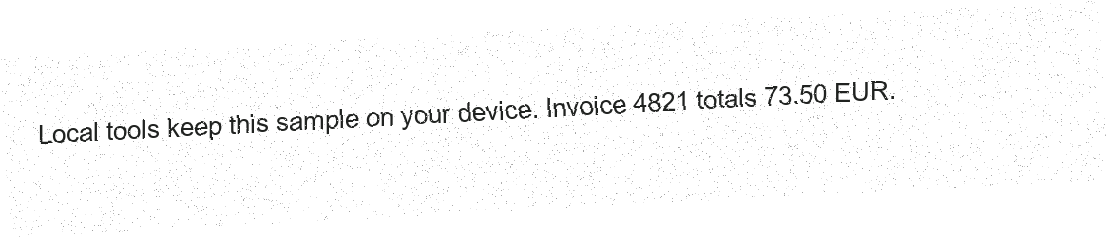
small-16px.png6.5 KB · Synthetic fixture · CC0 1.0
1c99efffc3c7b1e6…Download fixture ↓
Recorded observations
| Measure | Expected | Observed | Status |
|---|---|---|---|
language_model | eng | eng | Matched |
clear_32px_cer | recorded_not_thresholded | 2.7% | Recorded |
small_16px_cer | recorded_not_thresholded | 1.3% | Recorded |
low_contrast_cer | recorded_not_thresholded | 0.0% | Recorded |
rotated_noisy_cer | recorded_not_thresholded | 0.0% | Recorded |
Scope limits
The values describe these fixtures on the recorded browser; they are not an accuracy guarantee for other images or languages.