
Steps
- Paste or type a copy of the JSON and validate it before making assumptions about the structure.
- Use formatting for review and minification only when a compact representation is actually required.
- Configure scrub rules for exact field names used in the document, then inspect every replacement in context.
- Copy or download the result and validate it again in the destination system.
Supported formats
- Input: one valid JSON value, including an object, array, string, number, boolean, or null.
- Output: formatted, minified, or scrubbed JSON text.
- Comments, trailing commas, NaN, Infinity, and JavaScript object syntax are not standard JSON.
Things to know
- A valid document can still have the wrong schema or misleading values.
- Key-based scrubbing misses secrets stored under unexpected names or embedded in text.
- Large pasted documents can make the editor and browser storage slow.
- Formatting does not encrypt, anonymize, or validate business rules.
Troubleshooting
- Use the reported position near a parse error and inspect the preceding comma, quote, or bracket.
- If a rule changes too much, narrow the field-name match and rerun from the original.
- If the editor becomes slow, use a file-oriented or streaming workflow rather than pasting multi-megabyte data.
Common questions
Does formatting change values?
It should only change insignificant whitespace, but always validate and compare data when exact serialization matters.
Is scrubbing anonymization?
No. Removing selected keys does not address indirect identifiers, free text, correlations, or external copies.
Why is my JavaScript object rejected?
JSON requires double-quoted keys and strings and does not support comments, functions, undefined, or trailing commas.
Test results
Test results
json-scrub-study
Tested
Recorded environment
- Browser
- Google Chrome 150.0.7871.182
- OS
- Windows 11
- App revision
86b9bd1+working-tree
Exact test method
Run the nested fixture with every default pattern and key masking enabled, then compare each output path with the expectation file.
Independent check
Search the formatted output for every original sentinel value and review unmatched free text manually.
Synthetic fixtures
expected-results.json390 B · Synthetic fixture · CC0 1.0
95e12bdde0948acc…Download fixture ↓input.json473 B · Synthetic fixture · CC0 1.0
eb14ab83e2401ffa…Download fixture ↓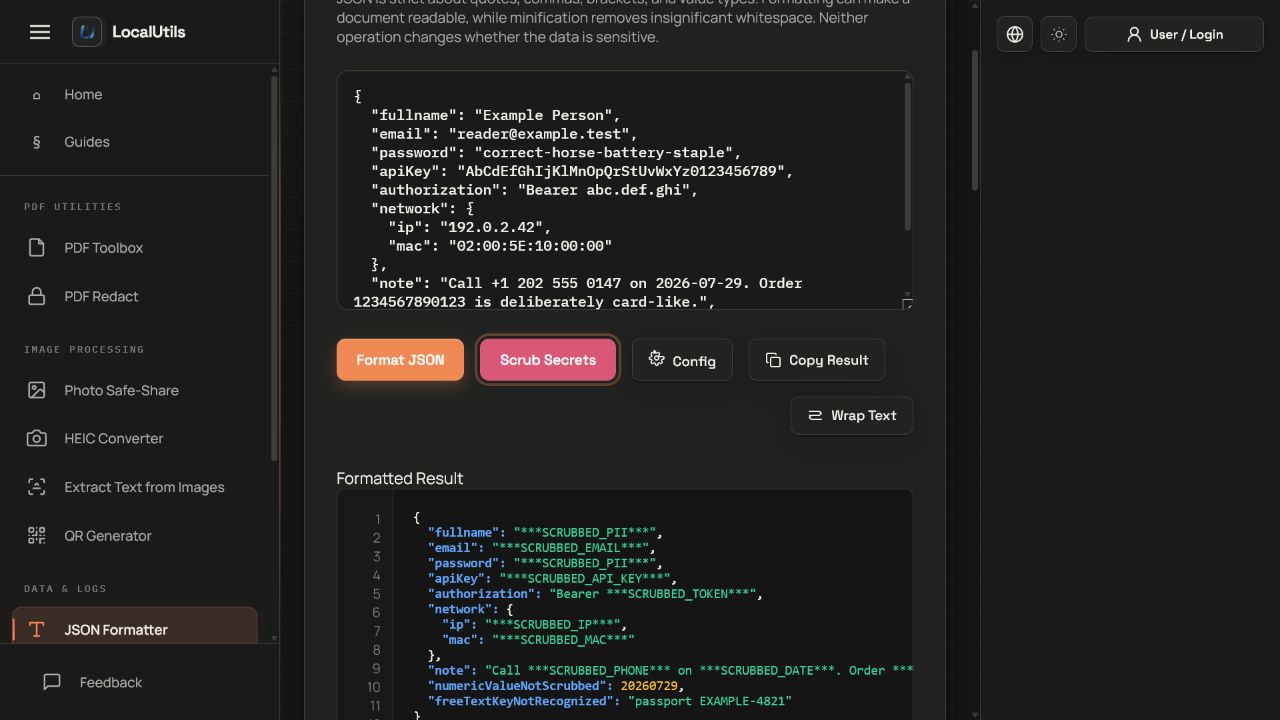
Recorded observations
| Measure | Expected | Observed | Status |
|---|---|---|---|
key_masking_targets | 2 | 2 | Matched |
pattern_target_groups | 6 | 6 | Matched |
documented_false_negative | 1 | 1 | Matched |
documented_false_positive_risk | 1 | 1 | Matched |
Scope limits
Regex matching cannot understand business meaning, validate every identifier, or find secrets hidden in unknown encodings.