
Steps
- Obtain the expected checksum from the software publisher or another authenticated channel.
- Choose the same algorithm named by the publisher; values from different algorithms cannot be compared.
- Select the file and let the worker finish without modifying or re-downloading it.
- Compare the complete hexadecimal strings, preferably by copy/paste into a constant-time or exact text comparison rather than checking only the first characters.
Supported formats
- Input: any local file readable by the browser File API.
- Output: hexadecimal digest strings for the selected algorithms.
- A digest identifies exact bytes; changing one byte, metadata field, or archive timestamp normally changes the result.
Things to know
- A matching digest cannot detect malware when the trusted reference describes the same malicious file.
- CRC32 is an error-detection checksum, not a cryptographic integrity proof.
- MD5 and SHA-1 have known collision weaknesses.
- Large files take time to read and still consume device I/O and processing resources.
Troubleshooting
- If values differ, confirm algorithm, file version, architecture, decompression state, and whether the publisher hashes an archive or its contents.
- Copy the checksum without spaces, labels, or hidden line breaks.
- Recalculate after a fresh download only when the expected value comes from a trusted independent source.
Common questions
Which algorithm should I choose?
Use the exact algorithm supplied by the publisher. For new cryptographic integrity references, SHA-256 or a stronger modern digest is generally preferable to MD5 or SHA-1.
Does a matching hash mean a file is safe?
No. It only means the bytes match the referenced bytes; it says nothing by itself about intent or malware.
Why did renaming not change the hash?
The tool hashes file contents, not the local filename. Changing embedded metadata or rebuilding the file can change its bytes.
Test results
Test results
checksum-study
Tested
Recorded environment
- Browser
- Google Chrome 150.0.7871.182
- OS
- Windows 11
- App revision
86b9bd1+working-tree
Exact test method
Hash the UTF-8 fixture with all five production algorithms and compare every hexadecimal result byte-for-byte.
Independent check
Compare cryptographic digests with Node.js crypto and CRC-32 with crc-32.
Synthetic fixtures
checksum-vector.txt60 B · Synthetic fixture · CC0 1.0
2af43999792cb485…Download fixture ↓expected-results.json364 B · Synthetic fixture · CC0 1.0
dad83ddbc1453127…Download fixture ↓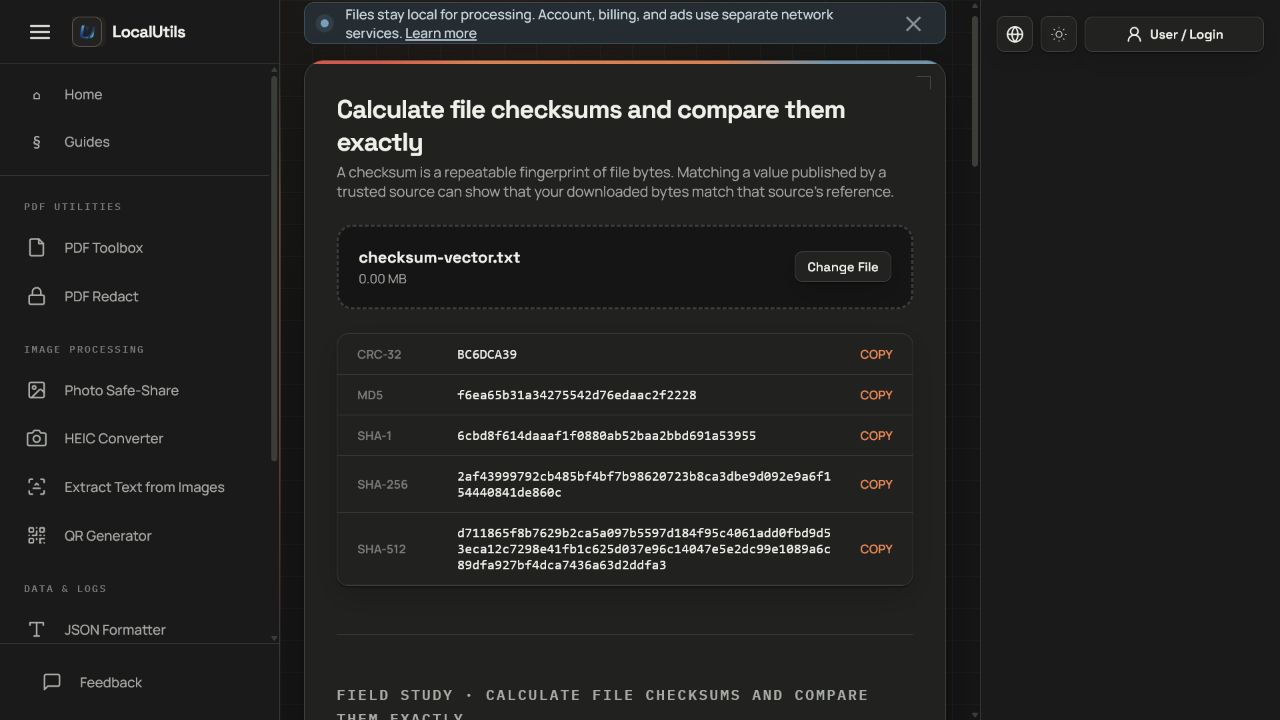
Recorded observations
| Measure | Expected | Observed | Status |
|---|---|---|---|
crc32 | expected_results_json | exact_match | Matched |
md5 | expected_results_json | exact_match | Matched |
sha1 | expected_results_json | exact_match | Matched |
sha256 | expected_results_json | exact_match | Matched |
sha512 | expected_results_json | exact_match | Matched |
Scope limits
A matching checksum verifies byte equality against the chosen reference; it does not establish trustworthiness or authenticity.